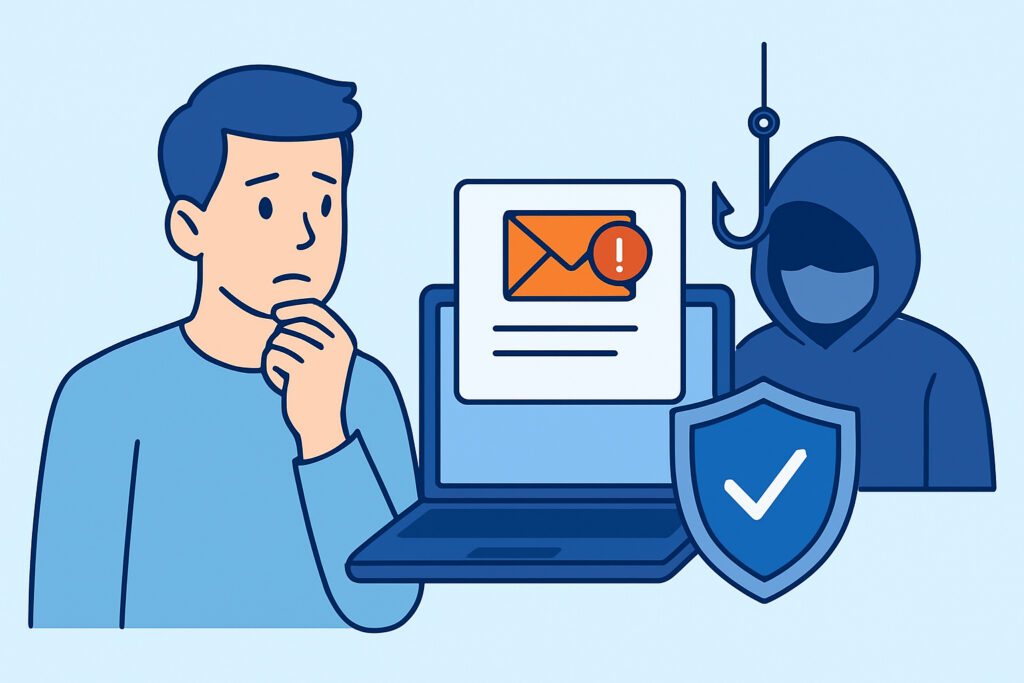
Business owners today face an alarming reality: email spoofing and phishing attacks can destroy customer trust and business relationships within hours. Email authentication prevents spoofing and phishing by implementing three critical security protocols – SPF, DKIM, and DMARC – that verify sender identity and block unauthorized use of your domain.
When cybercriminals impersonate your business through email fraud, they don’t just steal money. They hijack your brand reputation, confuse customers, and create lasting damage that affects sales and partnerships. Consider a mid-sized software company that discovered customers were receiving fake invoices from their spoofed domain. Despite immediately addressing the technical issue, they spent months rebuilding trust with clients who questioned every legitimate email afterward.
Understanding How Email Spoofing Threatens Your Business
Email spoofing works by forging the “From” header in emails, making malicious messages appear to come from your legitimate business domain. Attackers exploit the inherent trust people place in familiar sender addresses to execute various schemes.
The most common spoofing attacks target customer payment information, employee credentials, and business partner communications. Fraudsters send fake invoices, password reset requests, or urgent payment demands that appear to originate from trusted companies.
Without proper authentication, email servers cannot distinguish between legitimate messages from your business and fraudulent ones using your domain. This creates a perfect opportunity for criminals to leverage your brand credibility for their schemes.
The reputation damage extends beyond immediate financial losses. When customers receive spoofed emails from your domain, they associate the negative experience with your brand. Search engines and email providers also begin flagging your legitimate communications as suspicious.
The Three-Layer Defense: SPF, DKIM, and DMARC
Email authentication relies on three complementary protocols that work together to verify sender legitimacy and prevent domain abuse.
Sender Policy Framework (SPF) acts as your first line of defense by specifying which mail servers are authorized to send emails from your domain. When an email arrives, the receiving server checks the SPF record against the sending server’s IP address. If the IP isn’t listed as authorized, the email fails SPF authentication.
DomainKeys Identified Mail (DKIM) adds a cryptographic signature to your emails. This digital signature proves the message content hasn’t been altered during transmission and confirms it originated from an authorized source. DKIM signatures remain invisible to recipients but provide crucial verification for email servers.
Domain-based Message Authentication, Reporting & Conformance (DMARC) combines SPF and DKIM results to make final delivery decisions. DMARC policies tell receiving servers how to handle emails that fail authentication – whether to deliver them to spam folders, quarantine them, or reject them entirely.
These three protocols create overlapping security layers. Even if attackers bypass one authentication method, the others continue protecting your domain from unauthorized use.
Common Myths About Email Authentication
Many businesses believe email authentication is too complex for small companies or unnecessary if they use popular email providers. This misconception leaves thousands of domains vulnerable to spoofing attacks.
Myth: Major email providers automatically protect you from spoofing. While Gmail, Outlook, and other providers offer some security features, they cannot prevent criminals from spoofing your domain name in emails sent through other servers. Authentication records must be configured specifically for your domain.
Myth: Small businesses don’t need email authentication because criminals target larger companies. Attackers often prefer smaller targets because they typically have weaker security measures and less monitoring. A spoofed small business domain can be used to scam dozens of customers before detection.
Myth: Setting up authentication once provides permanent protection. Email authentication requires ongoing monitoring and updates. IP addresses change, email providers update their systems, and authentication failures can occur without warning.
Step-by-Step Implementation Guide
Start with SPF record creation. Access your domain’s DNS management panel and create a TXT record that lists all authorized mail servers. A basic SPF record looks like: “v=spf1 include:_spf.google.com ~all” for Google Workspace users.
Next, configure DKIM signing. Most email providers offer DKIM setup instructions in their admin panels. Generate a public-private key pair, add the public key to your DNS records, and enable DKIM signing for outgoing messages.
Implement DMARC policy gradually. Begin with a “none” policy to monitor authentication results without affecting email delivery: “v=DMARC1; p=none; rua=mailto:reports@yourdomain.com”. This configuration sends reports about authentication failures without blocking emails.
Test your configuration using email authentication testing tools. Send test messages to various email providers and verify that SPF, DKIM, and DMARC checks pass successfully.
Monitor authentication reports regularly. DMARC reports reveal which sources are sending emails using your domain and highlight potential spoofing attempts.
Monitoring Authentication Health
Email authentication requires continuous oversight because configuration issues can develop silently. Authentication failures often go unnoticed until customers report delivery problems or spoofing incidents.
Successful monitoring involves tracking authentication pass rates, identifying new unauthorized sending sources, and responding quickly to configuration changes that break existing setups. Many businesses discover authentication problems only when legitimate emails start bouncing or landing in spam folders.
Comprehensive email security monitoring helps identify authentication issues before they impact business communications or create security vulnerabilities.
Regular monitoring also reveals evolving attack patterns. Cybercriminals continuously adapt their spoofing techniques, and monitoring data helps identify new threats targeting your domain.
Integration with Broader Brand Protection
Email authentication represents one component of comprehensive brand protection strategies. Spoofing attacks often coincide with other forms of domain abuse and brand impersonation across multiple digital channels.
Businesses benefit from coordinated monitoring that tracks email security alongside website reputation, social media impersonation, and trademark violations. This holistic approach reveals attack campaigns that span multiple platforms and communication methods.
Effective brand protection also involves monitoring email deliverability to ensure authentication issues don’t prevent legitimate business communications from reaching customers.
Frequently Asked Questions
How long does email authentication setup take to become effective?
DNS changes typically propagate within 24-48 hours, but full effectiveness requires 1-2 weeks as email providers update their records. Start with monitoring-only DMARC policies to avoid disrupting legitimate email during the transition period.
Can email authentication prevent all types of phishing attacks?
Email authentication prevents domain spoofing but cannot stop phishing emails sent from legitimate domains or newly registered domains that mimic your brand. Comprehensive protection requires monitoring for typosquatting and other impersonation tactics alongside authentication protocols.
What happens if SPF, DKIM, or DMARC records are configured incorrectly?
Incorrect configuration can cause legitimate emails to be marked as spam or rejected entirely. This is why gradual implementation with monitoring is crucial. Start with permissive policies and gradually strengthen them as you verify proper functionality.
Building Long-Term Email Security
Email authentication provides essential protection against spoofing and phishing, but its effectiveness depends on proper implementation and ongoing monitoring. The three-protocol approach creates robust defenses that protect both your business and customers from email-based fraud.
Success requires viewing email authentication as part of broader digital security rather than a one-time technical task. Regular monitoring, prompt response to authentication failures, and integration with comprehensive brand protection strategies ensure your email communications remain secure and trusted.
Start with basic SPF and DKIM implementation, then gradually strengthen DMARC policies as you gain confidence in your configuration. This measured approach protects your business communications while building stronger defenses against evolving email threats.