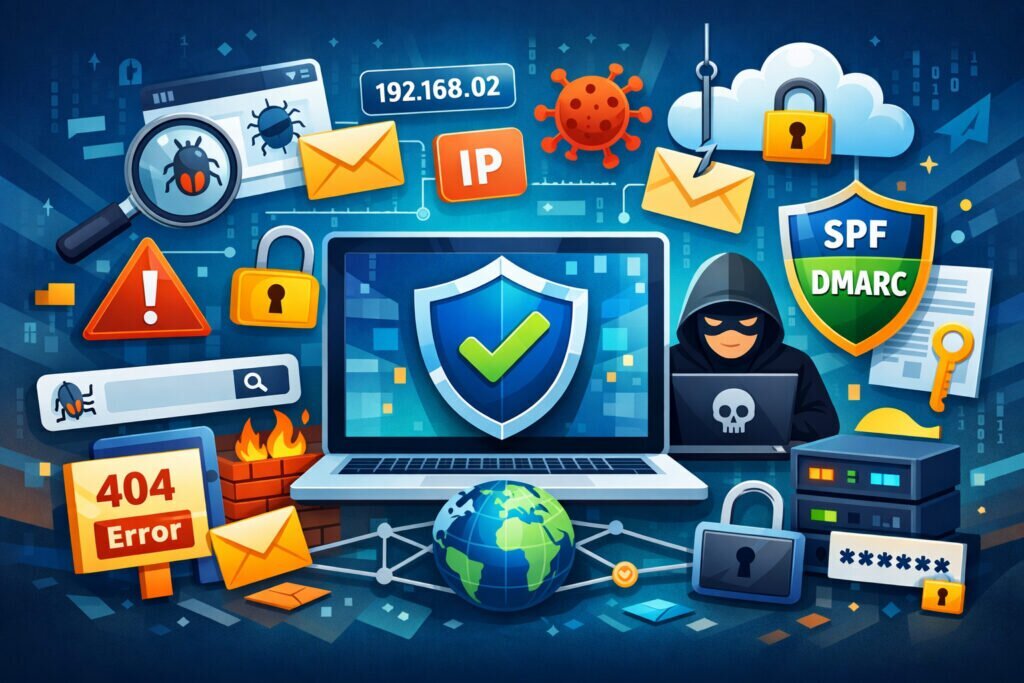
If you run an online business, your domain is more than just a web address — it’s your digital identity. Technical domain security is the foundation that keeps your emails delivered, your visitors safe, and your brand reputation intact. Yet most business owners only think about domain security after something goes wrong: emails landing in spam, customers seeing browser warnings, or worse, someone impersonating their brand with a lookalike domain. This checklist covers every critical area you need to lock down, so you can stop reacting to problems and start preventing them.
I’ve seen businesses lose months of customer trust because a single DNS misconfiguration went unnoticed. The reality is that technical domain security isn’t just an IT concern — it directly affects your online reputation monitoring scores, your sales pipeline, and how customers perceive your brand.
Email Authentication: SPF, DKIM, and DMARC
Let’s start where most damage happens quietly — your email. If your domain lacks proper email authentication, your messages may never reach customers, or worse, someone else can send emails pretending to be you.
Here’s what to check:
SPF (Sender Policy Framework) — Your DNS should have an SPF record listing every server authorized to send email on your behalf. A common mistake is forgetting to include third-party services like your CRM or newsletter tool. One missing entry, and those emails get flagged.
DKIM (DomainKeys Identified Mail) — This adds a cryptographic signature to outgoing emails. Without it, receiving servers can’t verify your messages are genuine. Make sure DKIM keys are generated and published for every sending service you use.
DMARC (Domain-based Message Authentication) — This tells receiving servers what to do when SPF or DKIM checks fail. Start with a monitoring policy (p=none), review reports for a few weeks, then move to quarantine or reject. Skipping straight to “reject” without monitoring first is a classic mistake that blocks your own legitimate emails.
For a deeper walkthrough, check out the full guide on SPF, DKIM, and DMARC for businesses.
DNS and IP Blacklist Monitoring
Your domain or server IP can end up on a blacklist without you ever knowing — and the consequences hit fast. Email delivery rates drop, spam filters block your messages, and your reputation score takes a hit.
Run regular checks against major DNS blacklists (Spamhaus, Barracuda, SORBS, and others). If you find a listing, identify the root cause before requesting removal. Simply delisting without fixing the underlying issue — like a compromised contact form sending spam — means you’ll be back on the list within days.
The same applies to IP blacklist monitoring. If you’re on shared hosting, another site on the same IP could get your domain blacklisted through no fault of your own. Monitoring both DNS blacklists and IP blacklists is essential, not optional.
The Myth: “We’re Too Small to Be Targeted”
This is the single most dangerous misconception in domain security. Automated attacks don’t care about your company size. Bots scan millions of domains daily looking for missing SPF records, open relays, and unprotected forms. Small businesses are actually preferred targets because they’re less likely to have monitoring in place. If your domain gets used to send phishing emails, the damage to your brand reputation can take months to undo.
Google Safe Browsing and Malware Detection
If Google flags your domain as unsafe, visitors see a bright red warning screen before they even reach your site. Traffic drops overnight. Recovery takes weeks of review requests and cleanup.
Check your status regularly through Google Safe Browsing tools. But don’t stop there — scan your site for injected scripts, hidden redirects, and SEO spam. Attackers often inject malicious content into neglected plugins or outdated CMS installations that you won’t notice just by browsing your own site. Read more about how to check if your website is flagged as unsafe.
Typosquatting and Domain Impersonation
Someone registers a domain that’s one character off from yours — maybe a missing letter or a swapped vowel — and sets up a convincing copy of your site. Customers enter credentials, make payments, or share sensitive information without realizing they’re on a fake. Your brand takes the blame.
Monitor for common typosquatting variations of your domain. Register the most obvious misspellings yourself as a defensive measure. For established brands, this is one of the most overlooked areas of brand protection against typosquatting.
Domain Age, History, and SEO Spam
If you recently acquired a domain, check its history. Previous owners may have used it for spam, adult content, or phishing — and that baggage follows the domain. Blacklist entries, poor backlink profiles, and cached content from previous use can all undermine your credibility today.
Similarly, run regular SEO spam checks. Attackers inject hidden links, doorway pages, or keyword-stuffed content into your site to exploit your domain authority. By the time you notice, search rankings have already dropped.
Your Technical Domain Security Checklist
Here’s the condensed version you can act on today:
1. Verify SPF, DKIM, and DMARC records are correctly configured for all sending services.
2. Monitor DNS and IP blacklists at least daily.
3. Check Google Safe Browsing status weekly.
4. Scan for malware, injected scripts, and hidden redirects.
5. Monitor for typosquatting domains mimicking your brand.
6. Review domain history and backlink profile if the domain was acquired.
7. Run SEO spam detection scans regularly.
8. Ensure email deliverability by testing actual delivery to major providers.
9. Set up automated alerts so you’re notified immediately when something changes.
Doing all of this manually is possible but unsustainable. Automated reputation monitoring catches issues in real time — often hours before you’d notice them yourself.
FAQ
How often should I check my domain’s technical security?
Daily monitoring is ideal for blacklists and Safe Browsing status. Email authentication records should be verified whenever you add a new sending service or change hosting. A full audit every quarter covers the rest. Services like RepVigil run these checks hourly and alert you when something needs attention.
Can poor technical domain security affect my search engine rankings?
Absolutely. Google penalizes sites flagged by Safe Browsing, and poor email authentication can indirectly hurt your domain authority. SEO spam injections directly damage rankings, and blacklisted domains lose trust signals that take months to rebuild.
What’s the first thing I should fix if I’ve never done a domain security audit?
Start with email authentication — SPF, DKIM, and DMARC. Email issues are the most common and the most immediately damaging to both reputation and revenue. Then move to blacklist monitoring and Safe Browsing checks.
Technical domain security isn’t a one-time project. Threats evolve, configurations drift, and new services get added without updating DNS records. The businesses that maintain strong digital reputations are the ones that monitor continuously — not the ones that audit once a year and hope for the best.